|
| ||||||||||
| Tags: beta, bootable drive, consumer preview, dual boot, iso image, windows 7, windows 8 |
![]() |
| | Thread Tools | Search this Thread |
|
#1
| ||||
| ||||
| Dual Booting Windows 8 Consumer Preview and Windows 7
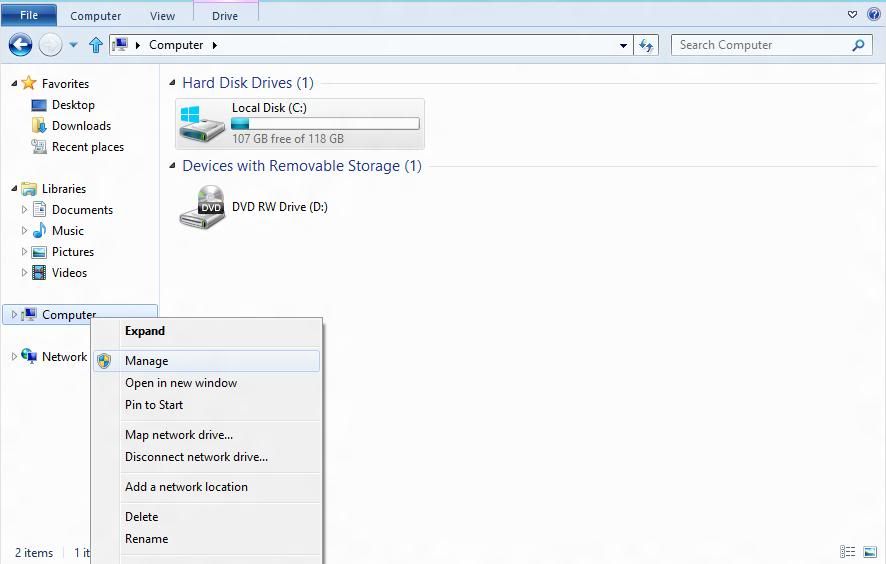
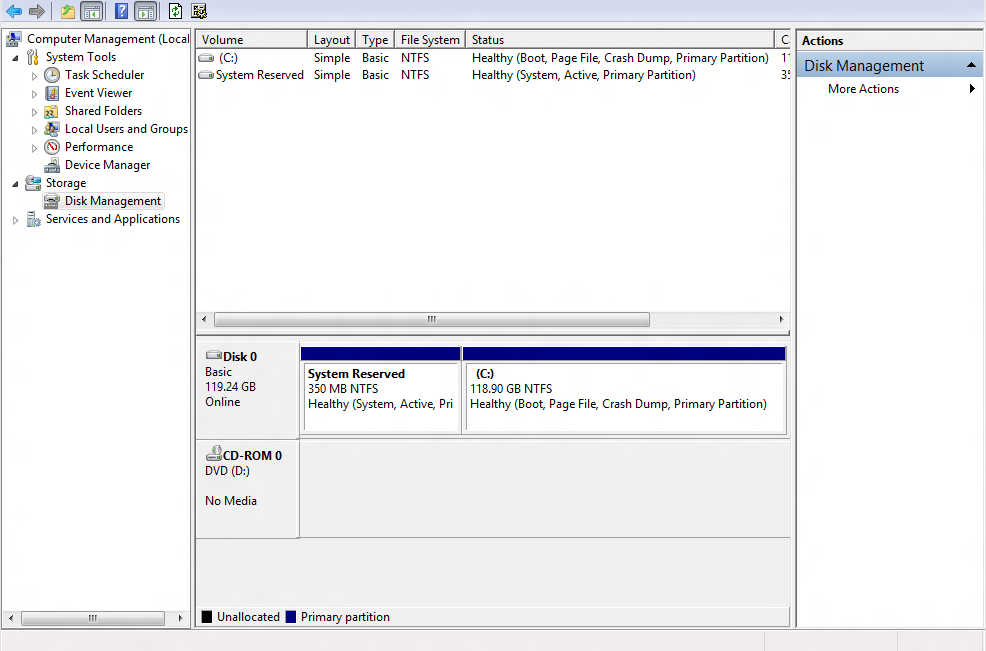
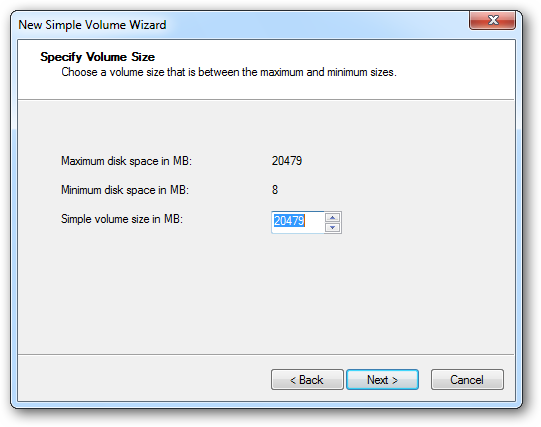
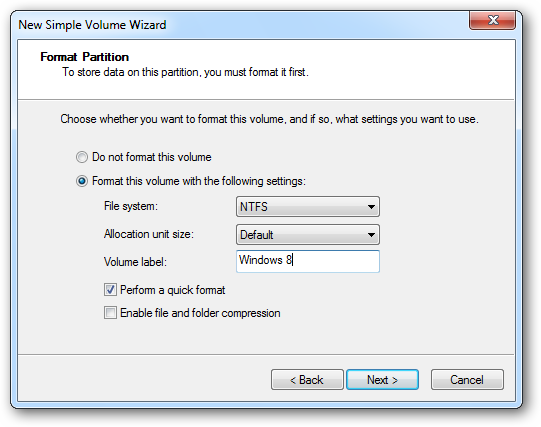
As of now, we will see how to install Windows 8 CP on separate partition, which is simply known as Dual Boot. So, first of all you will need to create a partition of about 20GB on your HDD where you can install it without affecting your existing OS. To do the same, follow these steps:
![]() . |
|
#2
| ||||
| ||||
| Re: Dual Booting Windows 8 Consumer Preview and Windows 7
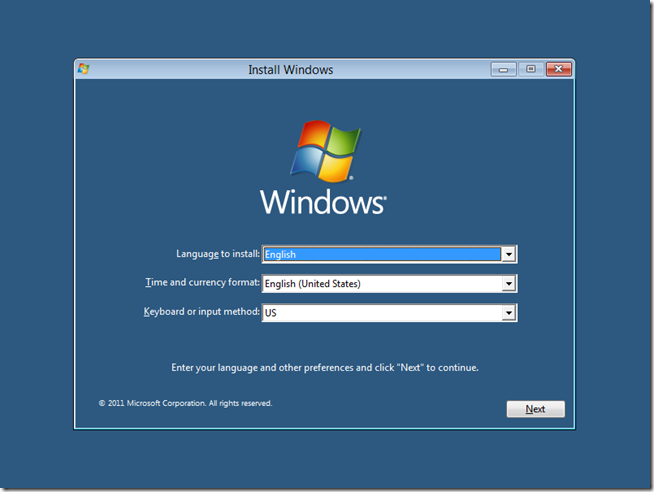
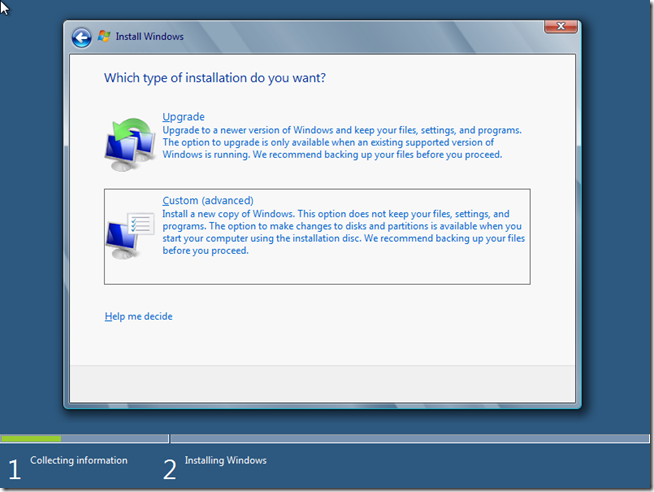
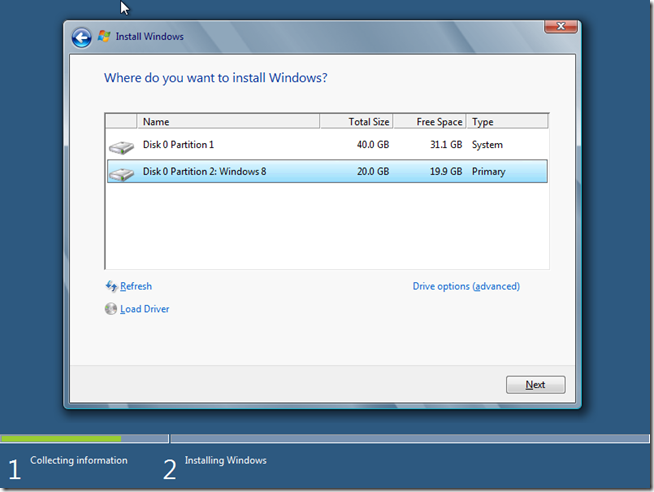
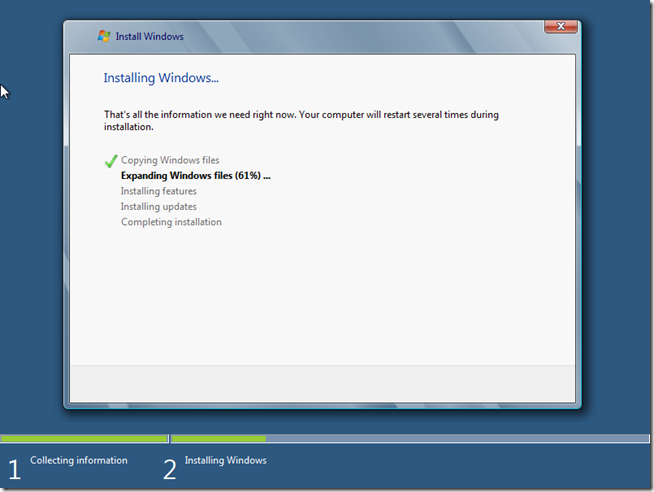
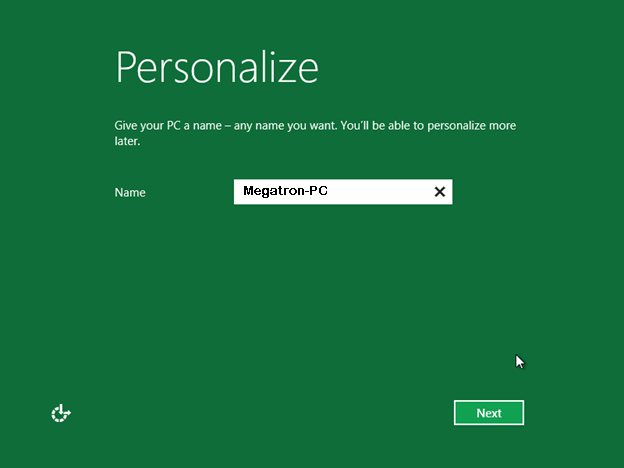
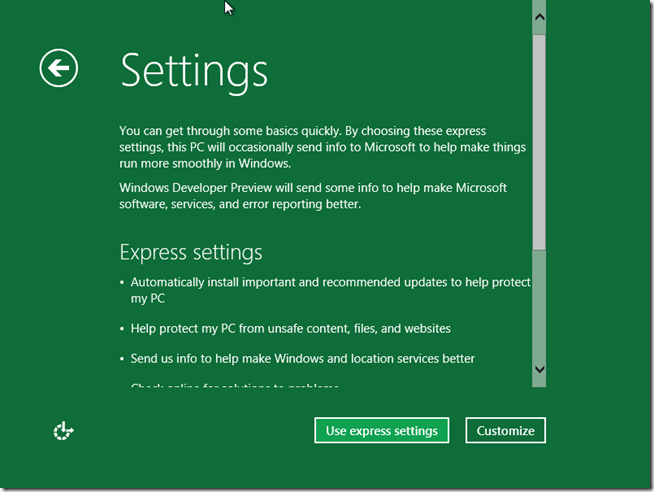
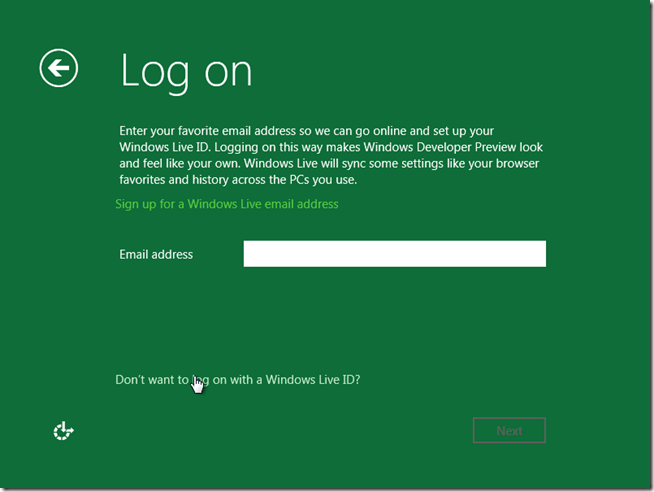
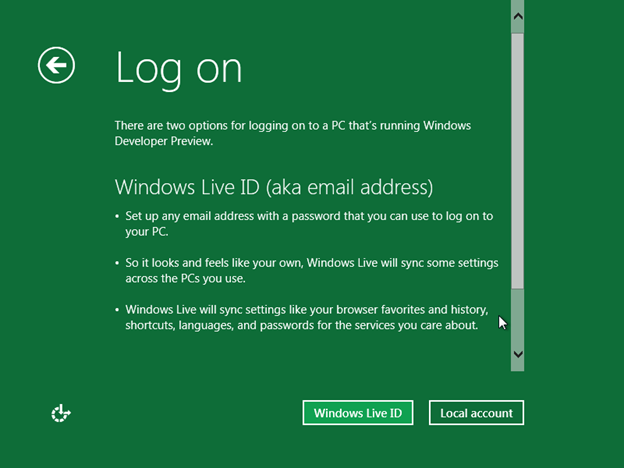
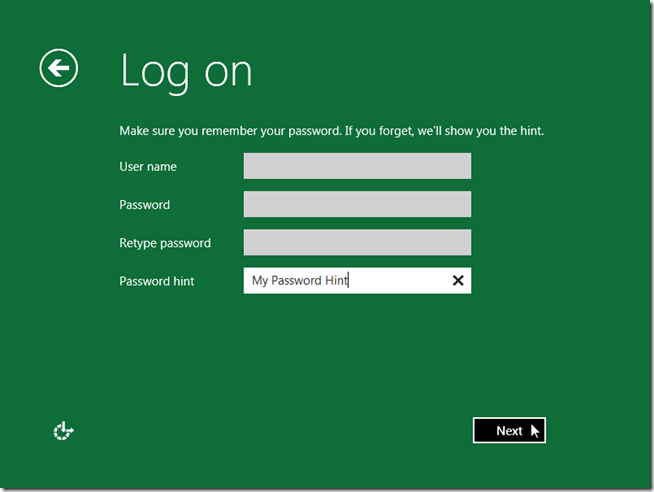
That’s it. You are done here. Now you have to start your Windows 8 Installation. Make sure you have burned the Windows 8 CP ISO image on a DVD or you have Bootable USB Drive. The easiest way to convert an ISO file to a DVD in Windows 7 is to use Windows Disc Image Burner . On a PC running Windows XP or Windows Vista, a third-party program like Nero or ISO burner is required to convert an ISO file into installable media—and DVD burning software often includes this capability. One option is the USB/DVD download tool provided by the Microsoft Store. Once you are ready Windows 8 DVD or Bootable USB Drive, simply follow the below steps to complete the installation: 1. Insert the DVD or connect the USB drive with your computer. 2. Restart the System, enter BIOS and change the Boot Order according to DVD or USB Drive. 3. Once you reach the “Install Windows ”, Select your Language and click Next. On the next screen, click on ‘Install Now’ button to start the installation. 4. Where it asks you to select ‘Upgrade’ or ‘Custom’, click on Custom. Don’t click on upgrade or it will hamper your existing operating system. 5. Now select the new partition that you made above with the name of ‘Windows 8’ and 20GB space. 6. Now you need to wait for about 10 to 15 minutes while installation goes on itself. 7. Once installation is completed, you will be prompted to give a name to your computer. Simply put any name you want and click Next. ![]() 8. On the next window, you will get two options, i.e. ‘Use express settings’ and ‘Customize’. You can select any option, in my case I click on ‘Express Settings’. 9. Now you will be prompted for Live email address. You can even skip this as I did. Simply click on ‘Don’t want to log on with Windows lIve ID’. 10. Similarly on the next page there are two options ‘Windows Live ID’ and ‘Local Account’. Click on Local Account. ![]() 11. Now enter the details like User Name and passwords and click next. 12. That’s it. System will take few minutes to finalize the installation and done. |
|
#3
| ||||
| ||||
| Re: Dual Booting Windows 8 Consumer Preview and Windows 7
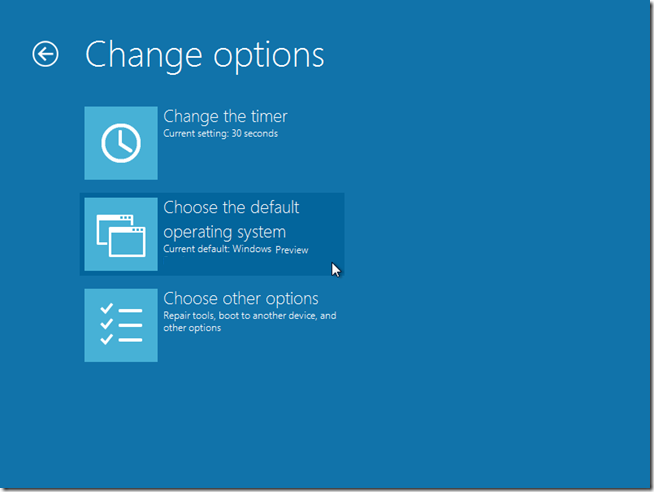
Once installation is completed, reboot the system to see the boot screen options. In the boot menu you will get two options, i.e. Windows 8 and Windows 7. You can select from here which operating system you want boot. Remember, if you won’t select any of these, system will boot in Windows 8 bydefault after 30 seconds. If you want to change default system or the duration of 30 seconds, simply select ‘Change defaults or choose other options link at the bottom of the screen’ with the mouse and press Enter. This will show you the following page where you can change the timer, default operating system and other options. Simply select your choice, go back and you are finished with your Windows 8 Consumer Preview Dual Boot with Windows 7. Soon, I’ll update step by step process of installing Windows 8CP in VMware 8 and with Microsoft's setup tool. |
|
#4
| |||
| |||
| Re: Dual Booting Windows 8 Consumer Preview and Windows 7
I had already followed that same procedure before registering for this forum, but when I rebooted the PC and selected to reboot on Windows 7, I noticed that the PC had to reboot all the way back to the start of the CMOS bios checking to boot into Windows 7. Thinking that to be somewhat akward, I used a brand-new hard drive and installed Windows 8 CP on it. After checking it all out, I installed Windows 7 on a new partition. After the installation of Windows 7 was done, I rebooted the system and was offered the same boot choices (Windows 7 and Windows8) without the need to re-start the PC all the say back. Then, using Acronis True image 2012, I recovered a backup that I had done of my original Windows 7 installation, and that worked out well for me. So, these are the steps I followed: 1 - Do an image backup of Windows 7 to a removable drive. 2 - Install Windows 8 CP on the first partition of the main hard drive. 3 - Install Windows 7 on the second partition of the main hard drive. 4 - Recover the original Windows 7 backup image to the second partition the main hard drive. That worked very well for me. When I boot the PC, I have a boot menu that allows me to choose which version of Windows I want to run. |
![]() |
|
| Thread Tools | Search this Thread |
| |
Similar Threads for: "Dual Booting Windows 8 Consumer Preview and Windows 7" | ||||
| Thread | Thread Starter | Forum | Replies | Last Post |
| how to enable windows update after upgrading to windows 8 consumer preview? | Fakhry | Operating Systems | 4 | 11-07-2012 06:06 PM |
| Getting a ‘Sign up’ message when trying to setup a connected account in Windows 8 consumer preview with a existing Windows Live ID | Prem-Din | Operating Systems | 3 | 21-03-2012 04:30 PM |
| How to search Windows 8 Store in Windows 8 Consumer Preview? | Jhonny.Bravo | Operating Systems | 4 | 18-03-2012 10:05 AM |
| Unable to open more pc settings and windows 8 store is missing in Windows 8 Consumer Preview | Nuru's | Operating Systems | 6 | 16-03-2012 10:48 PM |
| Does Windows 8 Consumer Preview support PlayReady for Windows Media Center? | Micro-Dona | Operating Systems | 1 | 16-03-2012 05:24 PM |